


Table Of Contents
You check your call log and something's off. Fewer calls this week. Fewer this month. You pull up your Google Business Profile dashboard looking for an explanation, a suspension notice, a policy warning, anything and there's nothing. Your profile is still live. Still verified. Still showing up if you search your own business name.
That's actually the confusing part. Most advice online about a Google Business Profile problem assumes you got suspended. Type "GBP calls dropped" into Google and nearly every result walks you through suspension recovery, reinstatement forms, policy violations, verification issues. If you've already ruled that out, none of it applies to you.
What's actually happening in a lot of these cases is quieter than a suspension. Google didn't remove you. It just started showing you less. That's a soft ranking shift, and it's caused by a small set of changes that rarely get talked about because they don't trigger an email from Google, you just have to notice them yourself.
First, Confirm This Isn't a Suspension
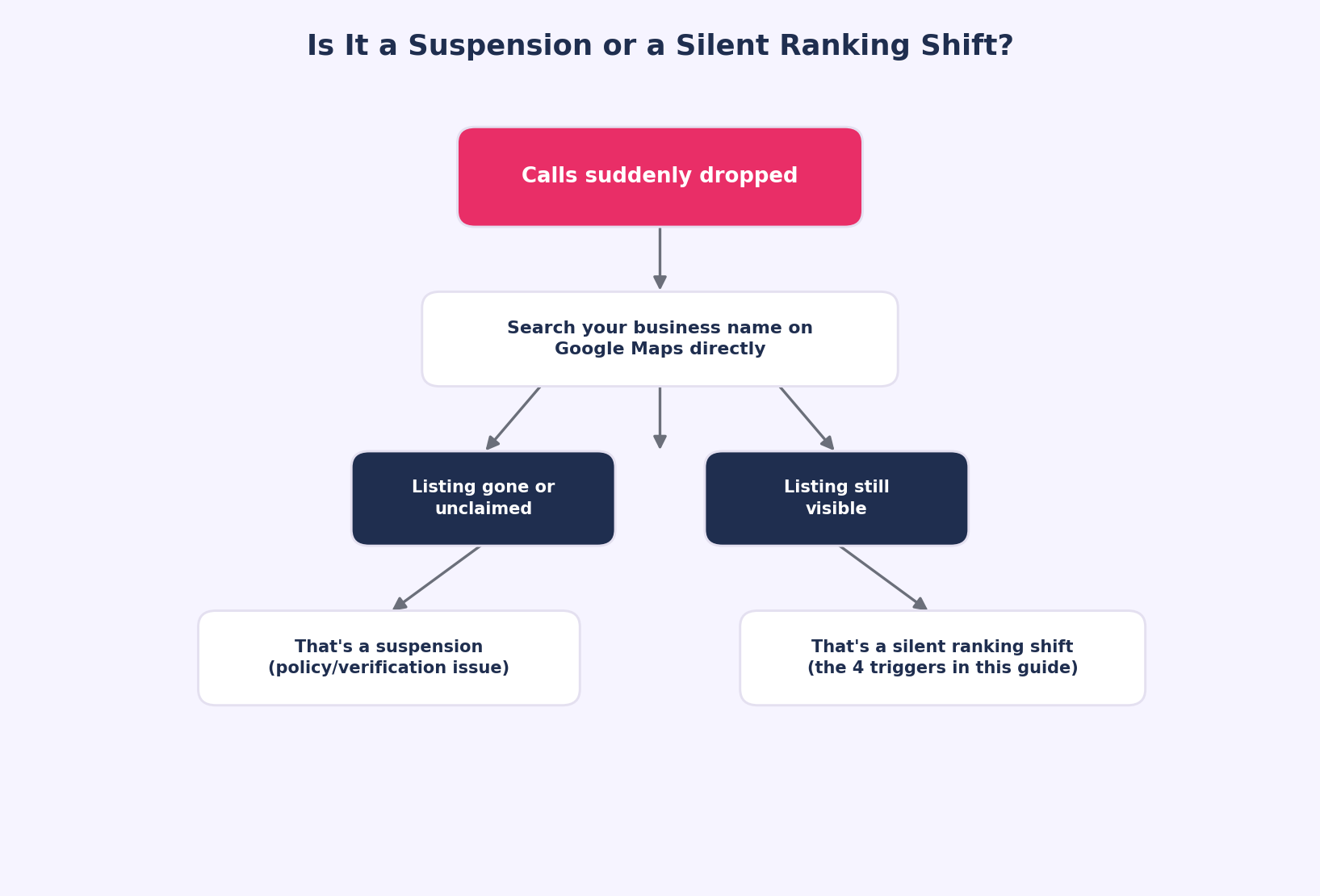
Before troubleshooting anything else, it's worth ruling out the obvious. Open an incognito browser window and search your exact business name plus your city on Google. If your profile still shows up, has its reviews intact, and still says "Verified" rather than "Claim this business," you're not suspended, you're dealing with something else.
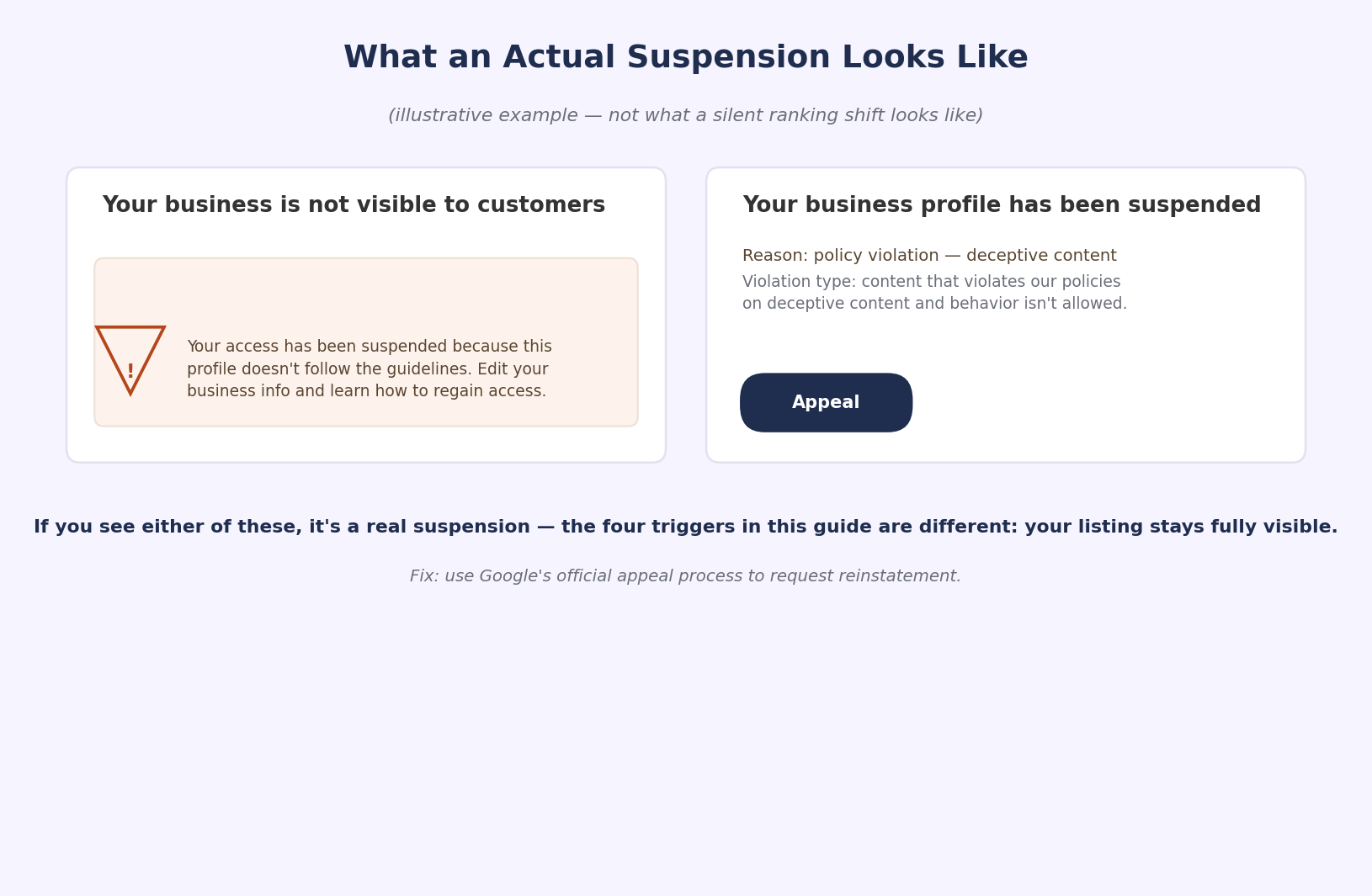
A genuine suspension usually looks like one of these:
- Your listing disappears from Google Maps entirely, even when searching your exact business name.
- Your dashboard shows a "Suspended" status or blocks you from editing.
- You received an email from Google referencing a guideline violation.
If none of that applies and your calls are still down, keep reading because the real answer is almost always one of four things, and all four are things Google never announces. (If you do turn out to be suspended, Google's own guide to fixing suspended or disabled profiles walks through the official appeal process.)
The 4 Silent Triggers Behind a Sudden GBP Call Drop
Google itself publishes relevance, distance, and prominence as the three things local rankings are based on. Relevance and prominence are the two you can actually influence. Relevance is how well your profile matches what someone typed in. Prominence is how well-known and trusted Google considers your business, based on reviews, activity, and consistency over time. Every one of the four triggers below works by quietly chipping away at one of those two scores, without ever touching anything that would show up as an error or a warning.
1. Secondary Category Dilution
Every Google Business Profile has one primary category and room for several secondary ones. Over time, it's common for a profile to pick up more secondary categories than it started with, someone adds "general contractor" to a plumbing profile hoping to catch more searches, or a past agency stacked categories to chase every possible keyword.
The problem is that Google doesn't just add up categories to widen your reach. It uses them to figure out what you actually specialize in. A profile with one clear primary category and two or three tightly related secondary categories reads as a focused, relevant business. A profile with seven or eight loosely related categories reads as unfocused and Google's relevance scoring quietly favors the competitor whose categories point at exactly one thing.
This is what dilution actually means in practice: each additional category that isn't a strong match for what you do pulls a little bit of relevance away from the searches that actually matter to your business.
A quick way to check this yourself: Log into your profile and list every category currently applied. Ask honestly whether each one describes a real, current service, or was it added at some point to chase volume. Then compare your category list to your top two or three local competitors who are still ranking well, theirs is usually noticeably tighter.
Google's own guidance on managing your business category confirms this directly: the categories you select affect your local ranking, and its own advice is to pick the single most specific category available rather than a broad one.
In your profile's Performance data, category dilution often shows up as a drop in discovery searches (people finding you through category or service terms) while direct searches for your business name stay roughly flat. That split is a useful clue that the issue is about how Google matches you to searches, not about your reputation.
How to fix it:
- Pull up Google's official category list and compare it against what you're currently using.
- Keep the primary category as the single most accurate description of the core business.
- Remove secondary categories added purely to chase volume rather than reflect a real, current service.
- Recheck every 60–90 days, since categories tend to drift back upward whenever more than one person manages the listing.
2. Outdated Hours During Holiday Window
This one is deceptively simple, and it's the easiest to miss because it's not a permanent mistake, it's a temporary one that happens to land at the worst possible time.
Google places real weight on hours accuracy, especially around holidays and other predictable high-search windows. If your listed hours don't match your actual hours during a holiday weekend your business observes differently than usual, Google can interpret that mismatch as a signal that your profile information is unreliable and searchers who see incorrect hours are more likely to bounce straight to the next result, which shows up in Google's engagement data.
The tricky part is that this trigger is self-correcting in a way that hides the damage. Once the holiday passes and your regular hours resume, the mismatch disappears. But the dip in visibility and calls during that window is real, and if it happens repeatedly around every major holiday, it compounds into a pattern Google's systems start to weigh more heavily.
To check this, ask whether special hours get updated in the profile before every holiday, or only on the website. Then look back at the last major holiday weekend and see whether call volume dipped specifically during that window, then recovered afterward. That pattern, a dip that lines up exactly with a holiday, followed by a recovery is one of the clearest fingerprints of this trigger.
This isn't just a theory — Sterling Sky's tested research on Google local rankings found a measurable ranking drop during open hours after testing profiles with missing or incorrect hours, which is exactly why a stale hours field during a holiday window does real damage
This typically shows up in performance data as a short, sharp dip in calls and direction requests tied to specific dates, followed by a return to normal within a few days once the holiday passes unlike the slower, steadier declines the other triggers tend to produce.
How to fix it:
- Build a holiday calendar at the start of each year covering every date business hours change.
- Update special hours in the profile at least a week before each date, not the morning of.
- Confirm the listed hours actually saved and display correctly on both Maps and Search.
- Extend the same habit to one-off closures (staff training days, weather closures) since the same mismatch penalty applies.
3. Losing Your "Freshness" Score From Inactive Posts
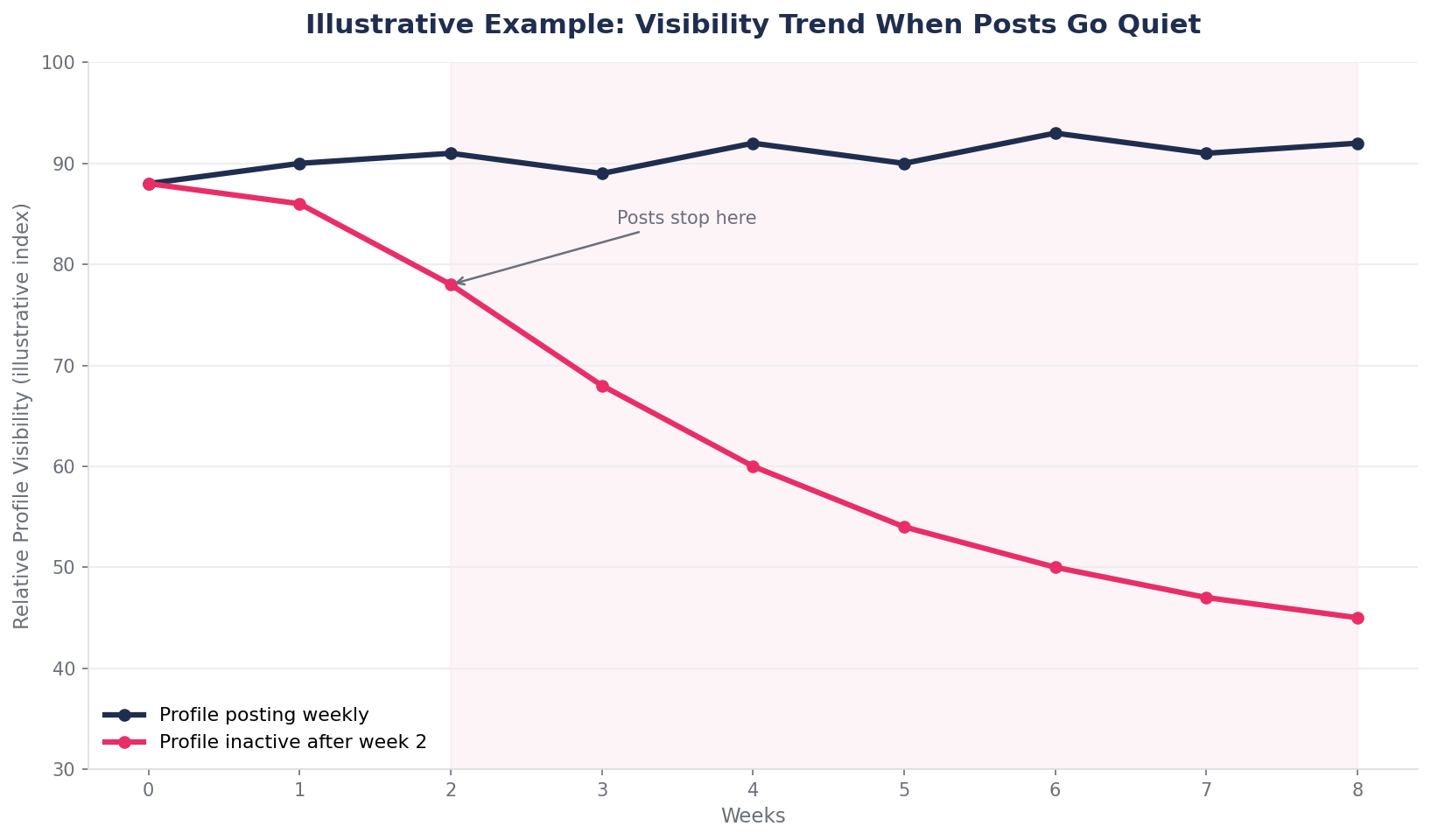
Google Business Profile rewards activity. Profiles that post updates, add new photos, and respond to reviews regularly send a signal that the business behind the listing is active and engaged. Profiles that go quiet for weeks or months send the opposite signal, even if the business itself hasn't changed at all.
This is often described as a freshness score, though Google doesn't publish an exact metric by that name. What's observable is that profiles with recent activity tend to hold their map pack position better than otherwise-identical profiles that have gone stale. A burst of posts right after onboarding, followed by silence for two or three months, is one of the most common patterns behind a slow, unexplained call decline.
This is the trigger most likely to be mistaken for "nothing changed," because from the business owner's side, nothing did change, the listing looks exactly the same as it did during the good months. What changed is that everyone else's listing kept moving while this one sat still.
Three quick questions worth asking: when was the last time a post, offer, or update was published to the profile? How many new photos have been added in the last sixty days? Are recent reviews getting a response within a few days, or sitting unanswered? If the honest answer to all three is "a while ago," this is very likely a contributing factor.
This tends to show up as a slow, steady decline across nearly every metric at once, rather than a sharp drop tied to a single date, since it builds gradually as the profile's activity signal fades rather than dropping all at once.
This lines up with recent industry reporting, too — Search Engine Journal's coverage of local ranking factors describes behavioral and engagement signals like posts, photos, and review cadence as "climbing fast in importance," with Google increasingly rewarding businesses that stay visibly active.
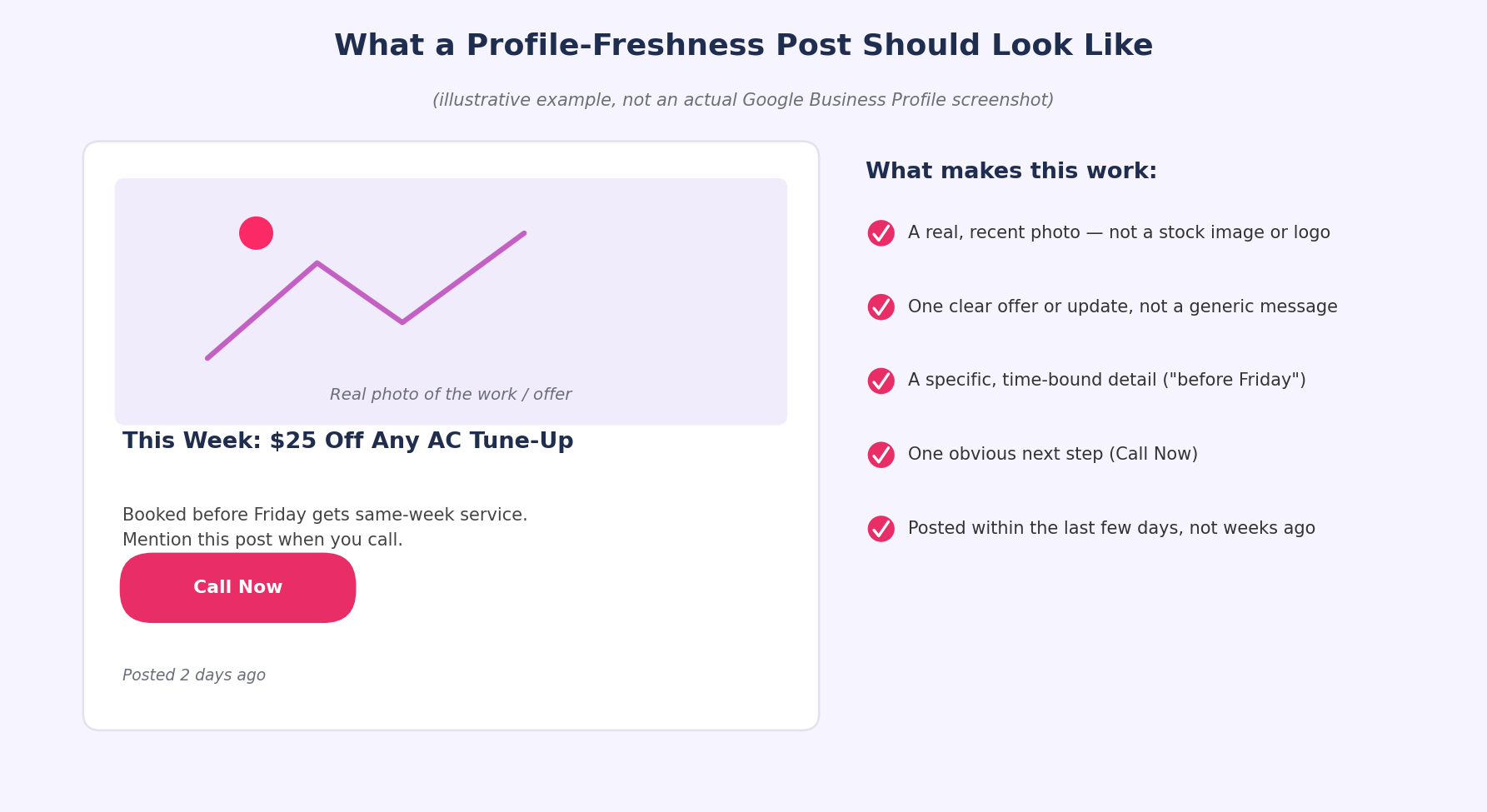
How to fix it:
- Set a recurring weekly reminder to publish at least one post, offer, or photo.
- Rotate between different post types instead of repeating the same format every time.
- Respond to every new review within 48–72 hours.
- Treat slow periods as more important to post through, not less, that's exactly when freshness tends to lapse.
4. Proximity Filter Shifts From Nearby Competitor Changes
This is the trigger with the least to do with your own profile, and the hardest one to catch, because it can happen without you touching anything at all.
Google's local ranking leans heavily on proximity: how close a searcher is to a given business at the moment they search. That part of the algorithm doesn't stay fixed. When a new competitor opens nearby, gets verified, and starts optimizing their profile, Google has a new, closer option to weigh against yours for the exact same searches. Even if your profile hasn't lost a single point of quality, a closer, increasingly optimized competitor can start winning a share of searches that used to default to you.
The same thing happens on a smaller scale when an existing nearby competitor makes a round of improvements, new photos, a stronger review cadence, a cleaned-up category list. None of that is visible from your side unless you're actively watching their profile, which almost nobody does on a regular basis.
To spot this, check whether a new competitor in the exact category has opened within the last few months. Look at the top two or three competitors' profiles directly rather than only checking your own. And pay attention to whether the call drop is concentrated in searches from a specific part of the service area, rather than across the board. That last pattern, a drop that's location-specific rather than universal is the clearest sign of a proximity-driven shift rather than a problem with the listing itself.
As Semrush's breakdown of the local search algorithm puts it, distance "is not usually something you can easily change" — which is exactly why it's the one factor on this list you can only work around, not fix directly.
This usually shows up in performance data as a decline concentrated in searches from one part of the service area rather than everywhere at once, since proximity only affects searches originating from that specific location, leaving the rest of the map relatively unaffected.
How to fix it:
- Identify the three to five closest true competitors - not necessarily the biggest ones, the closest ones.
- Check their profiles monthly for new reviews, new photos, or category changes.
- If a new competitor has opened closer to the center of the service area, strengthen relevance and prominence signals to compensate, since proximity itself can't be changed directly.
- Watch for a pattern of losing specific neighborhoods rather than the whole service area — that tells you exactly where to focus first.
Which of the Four Is It? A Quick Reference
| Trigger | Typical Pattern | Speed of Onset | Scope |
| Category dilution | Discovery searches drop, direct searches stay flat | Gradual, over months | Sitewide |
| Holiday hours | Sharp dip tied to exact dates, then recovery | Sudden, then resolves | Sitewide |
| Freshness score | Slow decline across every metric at once | Gradual, over weeks | Sitewide |
| Proximity shift | Drop concentrated in one part of the service area | Sudden or gradual | Location-specific |
A Typical Example
Here's what this often looks like in practice. A local plumbing company notices calls have been sliding for about six weeks, nothing dramatic day to day, just a little lower every week than the one before. Nothing in the dashboard flags it. It isn't until someone pulls up the profile's last post date, three months old and checks the category list, which has grown from two categories to six over the past year, that the pattern starts to make sense. Neither change was ever going to trigger a warning from Google. Both were quietly working against the profile the entire time.
Why These Are Almost Impossible to Catch Manually
Individually, none of these four triggers is complicated to understand. The hard part isn't knowing they exist, it's catching them early enough to matter, on a schedule that actually matches how often they happen.
Category dilution creeps in over months, one small edit at a time, often made by whoever last had dashboard access. Holiday hours need to be checked and corrected before every single seasonal window, not once a year. A freshness score depends on staying active every week, not remembering to post occasionally when there's time. And proximity shifts require watching competitors you don't control, on a timeline you don't control either.
Trying to catch all four manually means checking your own category list, your own hours, your own posting cadence, and your top competitors' profiles on four different schedules, every single week, indefinitely. Miss one check for a month and a change that happened in week one doesn't get noticed until the call drop shows up in week five or six, by which point it's much harder to connect the two.
Put together, that's four different things that all need continuous attention, not a one-time fix. Most business owners are already running the business the profile represents, checking a competitor's category list every week isn't a realistic addition to that job.
How Ongoing GMB Optimization Protects You From Silent Drops
This is exactly the gap a proper GMB optimization service is built to close. Instead of a one-time setup and walking away, ongoing management means someone is actually watching for the four triggers above on a schedule. not discovering them after calls have already dropped for a month.
In practice, that looks like:
- Reviewing category assignments regularly, instead of letting them drift upward over time.
- Updating special hours ahead of every major holiday and local event, not just the standard calendar ones.
- Keeping a consistent posting and photo cadence so the freshness signal never goes quiet.
- Tracking nearby competitor profiles for new openings or optimization pushes that could be pulling proximity-based rankings away.
That's the core idea behind treating GMB management as ranking protection rather than a project with an end date. A Google Business profile management service that only touches your listing once and moves on will always miss changes like these, because by definition none of them show up unless someone is actually looking on a recurring basis.
If your calls dropped and nothing about your profile looks obviously wrong, that's usually not a coincidence, it's a sign one of these four things happened quietly, and nobody was watching closely enough to catch it in time.
Frequently Asked Questions
My Google Business Profile still shows up on Maps — does that mean I'm safe from a suspension?
Yes. If your listing is visible, verified, and shows your full reviews and information when you search your business name, you haven't been suspended. A visible-but-underperforming profile points to a ranking issue, not a suspension.
How long does a proximity filter shift last?
It depends on what triggered it. If a new competitor opened nearby, the shift can persist unless your profile's relevance and prominence signals improve enough to compete. If it was a temporary spike in a competitor's activity, rankings can shift back over several weeks on their own.
Can too many secondary categories actually hurt me, or do they just not help?
They can actively hurt. Categories that don't closely match the core service dilute how clearly Google understands what the business actually does, which affects relevance scoring for the searches that matter most.
How often should I be posting to avoid losing my freshness score?
Weekly is a reasonable baseline for most local businesses. What matters more than a strict schedule is avoiding long gaps — two or three months of silence is what tends to show up as a real, measurable drop in visibility.
Is it worth updating my Google Business Profile hours for every single holiday?
Yes, especially for any holiday where the hours actually differ from a normal day. Even a one-day mismatch during a high-search window like a major holiday weekend can cost calls, and it's one of the fastest fixes on this entire list.
How do I know if my call drop is one of these four triggers versus something else entirely?
Start with the pattern. A holiday-specific dip points to hours. A slow decline over months points to freshness or category drift. A location-specific drop points to proximity. If none of those patterns match, or the listing itself looks altered in ways that weren't intentional, it's worth a full profile audit rather than guessing.
Could a single bad review cause a sudden call drop like this?
Not usually on its own. A single one- or two-star review can sting, but Google's ranking algorithm weighs the overall review pattern, recency, and response rate far more heavily than any individual review. A sudden call drop right after one bad review is more likely a coincidence with one of the four triggers above than a direct penalty.
The Bottom Line
A dropped call doesn't always come with an explanation, and Google isn't going to send one. Most of the time, the answer is sitting in one of four places, your categories, your hours, your posting activity, or what's changed nearby — not in a suspension notice that never arrives. Catching it early is mostly a matter of knowing where to look, and looking often enough that a small drift never turns into a mystery drop three months later.
Google has publicly described local ranking as a function of relevance, distance, and prominence for years, and continues to reference the same three factors in its current search documentation. None of the four triggers above are secret or exploit anything, they're simply the practical, everyday ways those three published factors shift for a real business over time.